May 07, 2008
A Pattern Library for Information Design
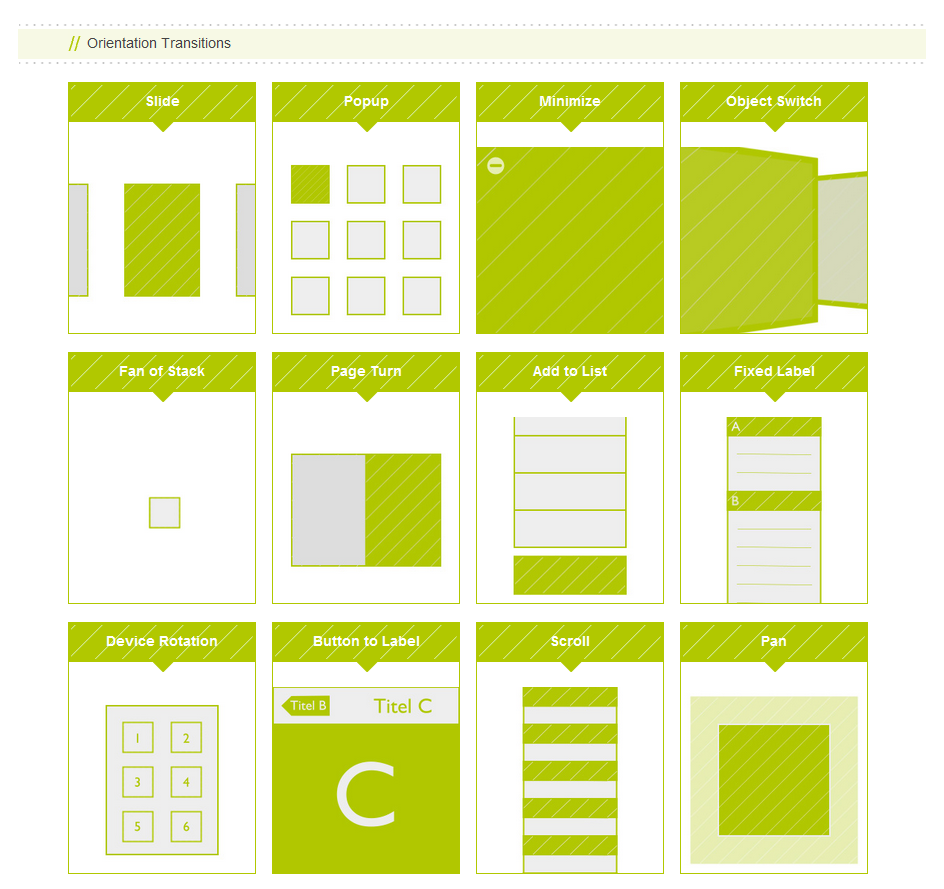
I'm not usually one to recycle links, but this pattern library for information design was too good to pass up. Christian Behrens catalogs around 55 different ways to display information that helps application designers and others go beyond blasé bar and pie charts when a different visualization would be more appropriate. As I covered in the FIG section on Information Design, it's important to spend time getting content displays right by thinking of them as information design problems. This website helps us get better at that by giving us some concrete new tools and techniques to play around with. I'll definitely be keeping it around to refer to later.
Found via Ethan Eismann.
April 30, 2008
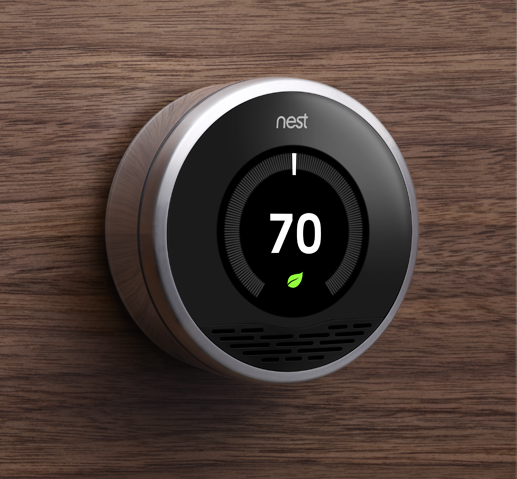
Thermo: The Board Game
As many of you may know, I’m currently hard at work on Thermo (demo video), our next generation RIA design tool, along with the rest of the design team. I wanted to share one of the research techniques we’ve used that’s proven to be quite effective.
April 29, 2008
Excellent Example of Eliminating Work
Yesterday's xkcd demonstrates a FIG best practice in action:

Although one might quibble with it's means, the Wifi autoconfig program depicted here does an excellent job of following the FIG best practice "Use the impeccable memory and powerful processing abilities of computers to eliminate work for your users." More systems should attempt to follow this autoconfig program's good example.
April 23, 2008
FIG Evaluation - The New Dilbert.com
(Disclaimer - as always, the opinions expressed below are my own and are not necessarily shared by my employer.)
Dilbert.com recently relaunched with a new site design that uses primarily Flash. Good technology choice. Unfortunately, it seems to have gone downhill from there.
The new design has received quite a bit of negative user feedback, and much of this is quite justifiable. The new Dilbert may use Flash, but it uses it in many of the wrong ways.
Continue reading "FIG Evaluation - The New Dilbert.com"April 16, 2008
enabled=”false” Considered Harmful
Oftentimes when designing applications, certain functionality needs to be present in some situations but not in others. The traditional way of dealing with this on the desktop is to enable the controls that provide access to that functionality when it is available and to disable them when it is not. For example, consider the following application snippet where the “Merge” function only applies when the user has selected two records.

Unfortunately, disabling controls without explanation is often a pathway to confusing your users. The problem is that disabling a control does not, by itself, provide the user with any indication of why the control is disabled. It may seem obvious to us, the system’s designers/developers, but to a new user experimenting with the application’s functions the reason the control is disabled may be quite opaque, especially if the function is far away from the means of enabling it (e.g., with application menu items). Time and again in user testing, I’ve watched participants fumble when a function they were expecting to be able to perform is inexplicably disabled.
Continue reading "enabled=”false” Considered Harmful"February 08, 2008
I'm at Interaction 08
I'm currently in Savannah, Georgia for Interaction 08. So far it is shaping up to be a really cool conference. If you see me around be sure to say hi.
NJ and Steven are here as well. If you ask nicely we would love to show you the Thermo demo and get your thoughts on what we should be doing with the product!
Help Us Help Users Learn Thermo!
Are you a writer with strong design skills or a designer with strong writing skills? Would you like to work on the Thermo team? If so, I think I might have a proposition for you.
We're looking for someone who can help us create learning material to help designers get up to speed on Thermo, a new tool that will allow designers to create the next generation of rich application UIs. You'll work closely with myself, Ethan, NJ, Mark, and Steven to design and develop the way people will learn this exciting new tool. Not sure if that's an incentive or a threat, but there you go :).
If you're interested, check out the job description and email Randy Nielsen if you think its a good fit. Don't write me about it - I'll just have to forward it to him and I can't guarantee I'll do so in a timely fashion :).
January 31, 2008
Get Your Design Out of My Content
On Monday, I attended a course taught by Edward Tufte on Presenting Data and Information. I've flirted with Tufte's ideas before, and Tufte fans may recognize some of them from Designing for Flex part 5 - Designing content displays. This is the first time I've heard a summary of Tufte's work from the man himself, however, so I uncovered some ideas that build on Part 5 and offer some additional guidance.
Continue reading "Get Your Design Out of My Content"January 15, 2008
FIG Update - Parts 7 and 8 are now live!
As many of you may have noticed, Designing for Flex - Part 7: Making your application fast went live before the holiday break. Just yesterday, Designing for Flex - Part 8: Making your application safe went live, thus completing the Designing for Flex article series! It's been a long trip (I started work on the series text itself in July) but it's finally over.
However, this doesn't mean we're done with the Flex Interface Guide or our efforts to provide you with guidelines, components, and other useful material to help you create the great experiences we all dream about. We're currently working on adding more sample components and we still have a placeholder for an official set of interface guidelines, as you may have noticed. In the meantime, it would be great to hear your feedback on what we've already published (Is it useful? Is it correct?) as well as hear what else we could be doing to help you more.
Feel free to get in touch with me directly or post to the Flex Interface Guide forum.
December 03, 2007
FIG Update - Parts 5 and 6 are now live!
Hey everyone, just a quick update on the Flex Interface Guide (FIG) project in case you hadn't already noticed. Part 5, Designing Content Displays, went live two weeks ago and Part 6, Guiding with Motion, went live today. These two chapters discuss two aspects of Flex application design that I think are of particular interest to many designers and developers since they discuss topics that are somewhat unique to Flex and Flash. Check them out, and as always, please do send me any feedback you may have.
I actually just sent the final edit of Part 7 along to the Dev Center folks, so that article should show up in a couple of weeks. Part 8 should follow shortly after the holiday break. Once I've got those off my plate, I'm hoping to pick up the slack on this little blog project you're reading right now...
October 09, 2007
RIA Accessibility and the Law
I found an interesting news article on the IxDA list today concerning an accessibility lawsuit brought against Target by the National Federation of the Blind. One of the findings of the federal district court was that "web sites such as Target.com are required by California law to be accessible".
Now, ever since the early days of the Americans with Disabilities Act, government websites have had to adhere to minimum accessibility requirements defined by the section 508 guidelines. In general this is a good thing - government websites should be accessible to all citizens regardless of their physical capabilities. However, privately owned websites were not, to my knowledge, generally considered to be under the same constraints. Following the section 508 guidelines was generally considered a best practice, but it was up to each private company or individual to determine how closely they needed to adhere to the guidelines for their business goals.
Continue reading "RIA Accessibility and the Law"October 01, 2007
MAX BOF on the FIG
This may be a little late in coming, but I wanted to let everyone know I'm giving a Birds-of-a-Feather (BOF) session at MAX 2007 on the FIG tonight at 7:30 pm CT in room 178A. If you're at MAX right now, swing on by! I'll show off the stuff we've made, sneak some of the stuff we haven't published yet, and I hope to hear from all of you to see what you'd like us to do with the FIG in the future.
NJ will be there as well.
September 29, 2007
Introducing the Flex Interface Guide!
For the past two-and-a-half months, I've been hard at work on a project that some of us on the Adobe Flex team have been working to get off the ground for some time now. But we finally did it, and the first part of the Flex Interface Guide (or "FIG" for short) is now online on the Flex Developer Center!
So what is the FIG? And why spend so much time on it instead of working on getting more features and components into the Flex product line (although we're always doing that too)? Primarily because the FIG does several things for us that merely revving the product alone won't ever accomplish.
Continue reading "Introducing the Flex Interface Guide!"November 03, 2006
MAX Talk: Creating Learnable Applications
Thanks to everyone who attended Stephen and I's talk at MAX 2006; I thought it went pretty well and we already received some great feedback. I'm looking forward to getting the reviews!
Since I'm not sure if the organizers are posting the actual Powerpoint file to the MAX website (it may be some form of PDF), I'm posting the entire thing here. The notes contain some additional explanation for some of the concepts that I only touched on in the talk, as well as pointers to additional reference material that you may want to check out if this subject interests you.
October 23, 2006
I'm Speaking At MAX
This week I'll be at MAX 2006, Adobe's (nee Macromedia's) annual user conference. I'm giving a talk on "Creating Learnable Applications", co-presenting with Stephen Gilson from the Flex docs team. If you'll be in Vegas for the event, come check us out; we'll be giving a bunch of practical tips and tricks on designing and documenting easy-to-learn applications, aimed at UI-savvy developers who may or may not have help from interaction designers, design researchers, or other UI folks. Also feel free to just wander up to me and say hi; I'll be the one critiquing the UI of the slot machines instead of gambling.